How can we help?

Tell us what happened and which device it is, and we route it to the right desk.

Every request gets a case reference. First reply within one business day.

Support request New case
Opens your mail client. Photos and video help, so attach them there.

Every request gets a case reference. First reply within one business day.

Upgrade to the Stimpod™ NMS450X+.

Supply of the Stimpod™ NMS450X and NMS410 ends on 15 January 2027. Exchange your unit for a new NMS450X+ at a special discounted rate, and contact your local distributor for more details.

Install the latest Stimpod™ software yourself.

The Remote Software Update application puts the latest release on your Stimpod™ and its cables from a Windows PC, over the Software Download Cable. Your Stimpod™ shows its installed version on the startup screen.

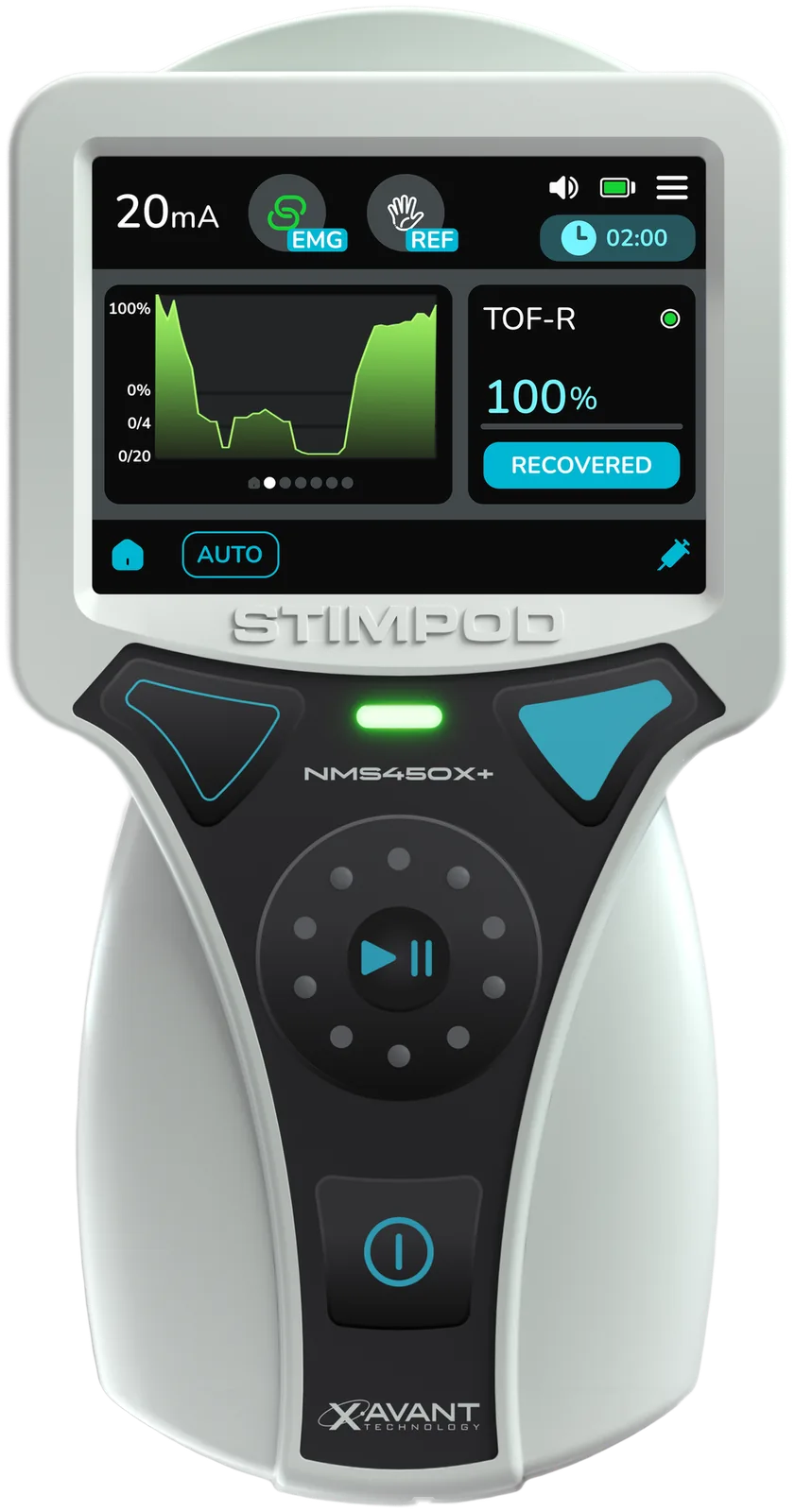
Stimpod NMS450X+ handheld monitor

Stimpod™ NMS450X+

Latest10.6.13

  • 10.6.13More reliable open circuit checks with the NMT Monitoring Cable EMG, so monitoring runs more steadily through a case. Better recovery from electrical interference before each stimulation, in every mode, and numbered component errors that make a fault quicker to trace with our team.
  • 10.6.12A steadier connection to patient monitors and NMShow through the Smart Data Cable, with the correct results and battery level shown on the monitor.
  • 10.6.11Error codes on stimulation aborted messages, a message when Auto SMC is running, and pop-ups that stay up for 4 seconds. Less interference from nearby ECG equipment in facial mode, better interference detection and more dependable battery and temperature messages.
  • 10.6.7A clearer battery status while a fully charged battery charges inside the device.
NMT Monitoring Cable AMG

Latest5.7.101

  • 5.7.101Improves backwards compatibility to older Stimpod™ versions.
  • 5.6.114Works with Stimpod™ software 9.80 to 9.99.
  • 5.5.63Updated V5.0 AMG algorithm for improved sensitivity and reduced overestimation.
  • 4.0.0Initial release.

NMT Monitoring Cable EMG

Latest2.3.103

  • 2.3.103Improved open circuit detection, and more valid results under extreme ambient noise in unusual setups.
  • 2.3.102Works with the NMS450X+, including the EMG waveform view.
  • 2.2.101Algorithm 10 update for better SMC detection in noisy conditions.
  • 2.2.90EMG Algorithm 9 for better EMG waveform detection.

Smart Data Cable

NMShow, Philips, Software Download Cable

Latest1.2.67

  • 1.2.67A steadier connection to patient monitors and NMShow, with the correct results and NMS450X+ battery level.
  • 1.1.72Supports the updated cable hardware.
  • 1.0.90Initial release.
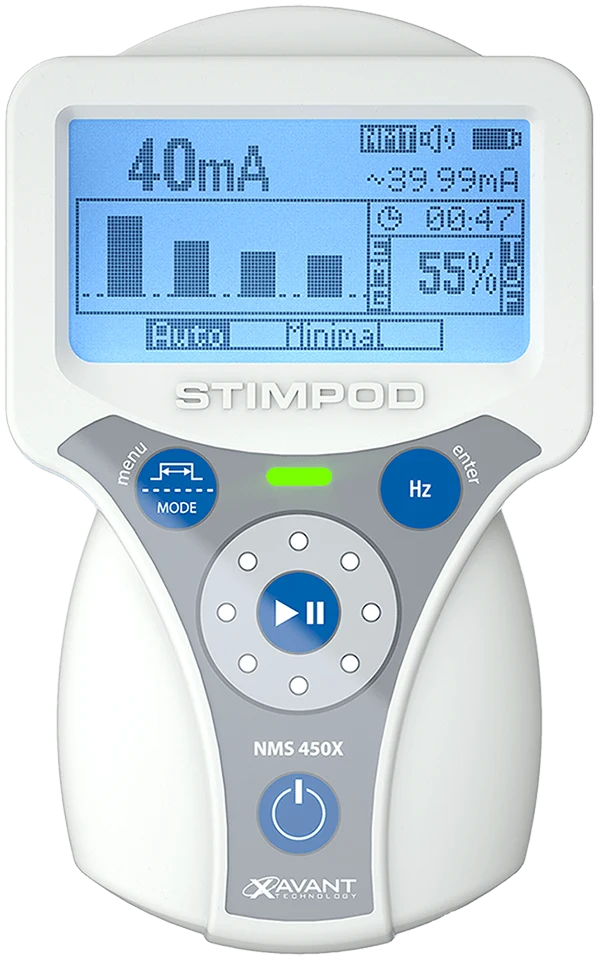
Stimpod NMS450X handheld monitor

End of life · supply ends 15 January 2027

Stimpod™ NMS450X and NMS410

Latest10.5.51

Both run the same software. Units on 10.0 or later still update remotely, and you can exchange a unit for an NMS450X+ at a special discounted rate. Your cables and electrodes work with the NMS450X+.

  • 10.5.51Faster, more accurate SMC. Reference mode, DEP mode for depolarising relaxants, quick change timers in every repeat mode, a selectable start-up current and the Xavant University screen. A warning when a TOF ratio above 150% points to bad data, and a quicker next stimulation after interference.
  • 10.4.102Faster operation, more reliable open and closed circuit detection, steadier sensor data and better EMG data capture. Shows a cable's software version when it connects.
  • 10.4.97Works with the NMT Monitoring Cable EMG and shows which cable is connected. Separate repeat timers for each depth of block in Auto mode, closer tracking of rapid reversal in deep and profound block, and NMT results sent to the Smart Data Cable automatically.
See the upgrade programme →

Update with the Remote Software Update application.

You need a Windows 10 PC with internet access and a Software Download Cable.

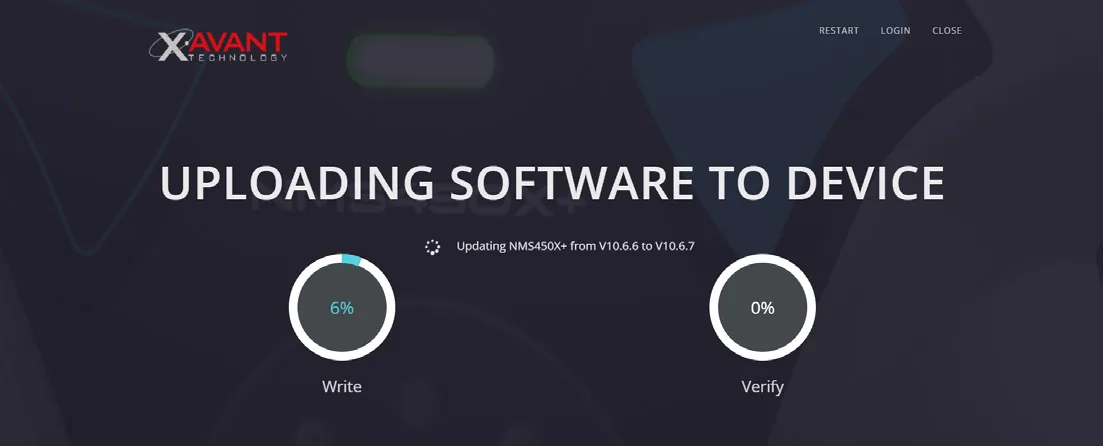
The Remote Software Update application uploading software to an NMS450X+, with write and verify progress
  1. Email support@xavant.com for the download password, then install the application.
  2. Connect the Software Download Cable to the PC, then connect your Stimpod™ or cable and switch the Stimpod™ on.
  3. Open the application and choose Start Device Detection. It shows your version and the update, and installs it when you confirm.

Questions clinicians ask us most.

The questions clinicians actually ask about the Stimpod™ NMS450X+. If yours is not here, send the form above and a person replies within one business day.

The device
What are the key features of the Stimpod™ NMS450X+?
A full-colour touch screen, trend graphs that follow neuromuscular response over time, real-time EMG waveforms to confirm signal quality and morphology, and case recording that captures stimulation parameters and fluid management. The removable, rechargeable lithium-ion 21700 battery (3.7 V, 5000 mAh) charges over USB or in an external charger.
How is it different from other monitors?
Three modalities in one handheld: AMG, EMG and nerve mapping and location. Add the long battery life, the customized carry case and fluid management, and one device covers what usually takes several.
Do my existing NMS450X cables work with the NMS450X+?
Yes. The NMS450X+ uses the same monitoring cables as the NMS450X, for both AMG and EMG. No new cables or adapters are needed to switch between the two modalities.
Power
How long does the battery last, and how long to charge?
Up to 35 hours of continuous use in AMG mode, 32 hours in EMG and 38 hours when mapping or locating. A full charge takes about 5 hours 30 minutes.
Can I keep working while a battery charges?
Yes. The battery is removable and charges externally, so a spare keeps the device in use while the other charges. No wall socket hunting mid-case.
Cases and data
How much case data can the Stimpod™ record?
More than 5 000 hours of case data, each case holding the full monitoring record including fluid management.
How do I start a case?
With Auto mode enabled, choose Start Case. The Stimpod™ measures the supramaximal current (SMC) and sets the optimal current. If a paralytic is already on board it defaults to 60 mA and continues monitoring.
How do I end a case?
In Auto mode, press Play/Pause to pause the case, then choose End Case. If recording was active, that ends the recording too.
How do I get a reference (REF)?
Start Case in Auto mode runs the SMC measurement. When a valid SMC is found, the reference twitch height is set and shown with the REF symbol.
Learning
What training is available?
Structured courses on Xavant University and tutorials on our YouTube channel. Product news lands on LinkedIn.

Free training for the Stimpod™ range.

Courses on Xavant University and tutorials on our YouTube channel, free for everyone who uses a Stimpod™.

Instructions for use

Every IFU and quick start guide, every language, every revision. Provided electronically under EU MDR, with paper copies free on request.

Open the document library →

Talk to a person in your time zone.